
1. Choose the live channel where you'd like to add a Multiple Choice panel, and navigate there from your Admin Navigation drop down.
2. Click "Edit Channel" in the top right hand corner of the channel.
3. Click the  icon in the "Sidebar" section to configure your Panel.
4. From the list of available channels, select "Multiple Choice", and click the "gear" icon to configure it.
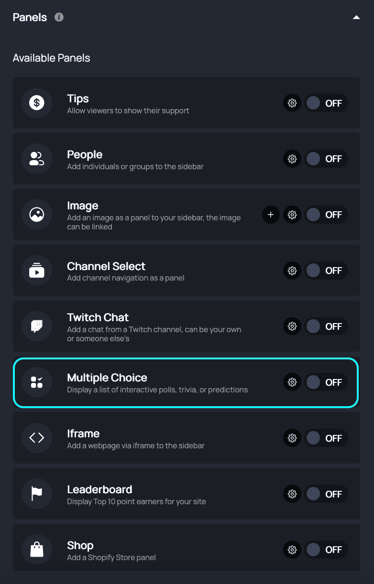
5. Add an optional name and description to your panel.
6. Add text prompting your users to login. They will need to create an account / login to participate in the poll.
7. Click the "Add Multiple Choice" button to add a previously created question or create a new one.
8. Add as many multiple choice questions as you like. You can also click and drag to reorder the questions.
9. When you're finished, save your panel, and toggle it on. Then, click publish.