Reorganized Admin Navigation
We've streamlined the admin bar to make frequently-used features easier to find:
- Billing is now directly accessible from the main admin bar menu
- "Site Settings" has been renamed to "Advanced"
- "Page Settings" / "Channel Settings" has been renamed to "Settings"

Floating Toolbar
The admin toolbar is now a floating element rather than being docked to the top of the page.
Updated Themes Tab
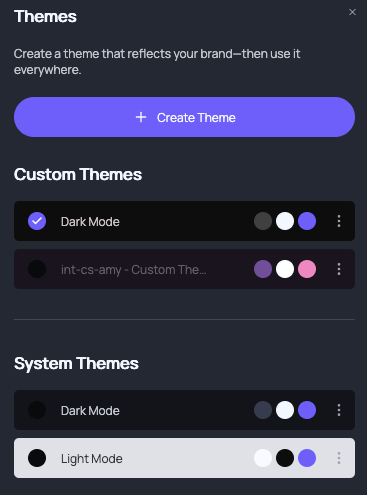
The Design tab now shows themes as clean horizontal card rows with the theme name, three color preview circles, and a three-dots menu for actions (Select, Customize, Set Default, Delete). Themes are organized into sections: Active, Classic, Custom, and Advanced.
New Icon Set
All icons throughout the admin panel have been migrated to a modern icon set for a consistent, clean look. The Icon Picker has been updated across all editors including the Panel Editor, Cards, Social Links, and Achievements.
Logo & Header Improvements
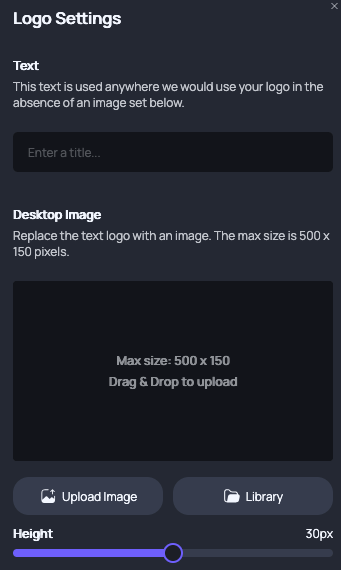
- Logo settings now open in a dedicated modal
- You can upload separate logos for desktop and mobile, each with their own height slider
- Mobile logos now scale properly to fit the viewport — no more stretching or cutoff